How AI Is Starting to Change Early-Stage Design and Renovation
Define AI in Architecture
Artificial Intelligence (AI) in architecture refers to the use of computer algorithms that simulate human intelligence to assist and enhance architectural processes. From automating repetitive tasks to generating innovative design alternatives, AI is transforming how architects approach their work. Historically, AI’s roots in architecture date back to early computational design experiments, but recent advances have integrated AI deeply into mainstream architectural software, marking a new era of design possibilities.
Modern AI tools in architecture include generative design platforms and parametric modeling systems that help architects explore numerous design options quickly. These tools analyze goals, constraints, and inputs to produce optimized solutions, making early-stage design more efficient and creative. For example, Autodesk’s integration of generative design directly into their software exemplifies this shift, enabling architects to generate alternatives from specific project goals and constraints (source).
Early-Stage Design Tasks AI Can Support
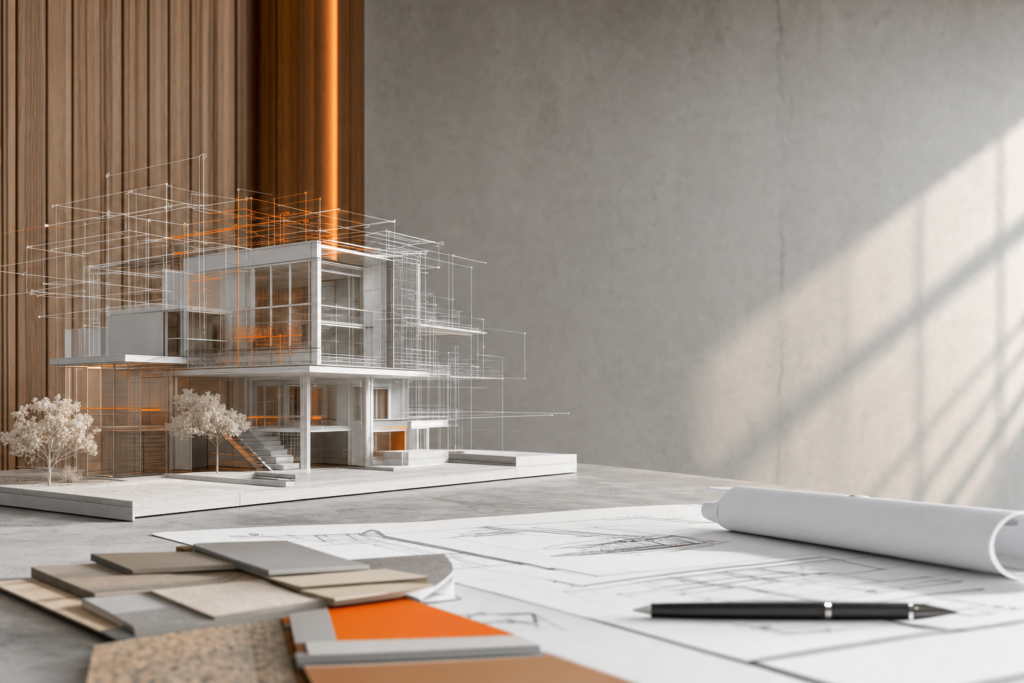
AI supports a variety of tasks in the early stages of architectural projects. Key areas include automating concept design, enhancing planning visuals, and accelerating rendering processes. Generative design algorithms can quickly produce multiple design alternatives based on defined parameters, helping architects explore innovative forms and layouts without starting from scratch.
AI rendering capabilities allow for rapid visualization of concepts, providing realistic images that facilitate better decision-making. Case studies demonstrate how AI tools streamline concept design by reducing iteration times and improving design quality (source).
Concept Generation and Visualisation
Generative design is at the heart of AI-assisted concept generation. This process uses AI algorithms to create design options that meet predefined goals and constraints, enabling architects to evaluate a broad spectrum of possibilities efficiently. For instance, AI-augmented parametric workflows for façades can consider factors such as embodied carbon and thermal performance, optimizing both aesthetics and sustainability (source).
AI also plays a crucial role in producing planning visuals, which enhance visual communication with clients. By generating detailed and accurate images early in the process, architects can convey design intent more clearly, leading to more informed feedback and faster approvals. Clients often appreciate the ability to see realistic renderings that reflect potential materials, lighting, and spatial configurations.
Planning and Client Communication
AI tools improve planning and client communication by creating dynamic, data-rich visuals that adapt as designs evolve. These planning visuals help clients understand complex architectural concepts without requiring technical knowledge. For example, AI-powered visualization platforms enable real-time updates and interactive walkthroughs, fostering more engaging presentations.
Architectural firms report that integrating AI into client communications reduces misunderstandings and accelerates decision-making, ultimately saving time and resources. When planning visuals are clear and compelling, clients are more confident in their choices, which smooths the project workflow (source).
Material Take-Offs and Feasibility
Material take-offs—the quantification of materials needed for construction—are critical in assessing project feasibility. AI enhances this process by automating quantity extraction from Building Information Models (BIM), improving accuracy and speed. Automated BIM quantity takeoff systems can extract material, area, and volume parameters, reducing human error and enabling better cost estimation (source).
AI also supports feasibility studies by analyzing design options against budgetary and regulatory constraints early on. This capability allows architects and developers to identify potential issues before costly phases begin, saving both time and money.
Risks of Plausible but Wrong Outputs
Despite its advantages, AI poses risks, particularly the generation of “beautiful nonsense”—outputs that look plausible but are technically incorrect or impractical. Over-reliance on AI without proper validation can lead to designs that fail to meet structural, regulatory, or functional requirements.
For example, an AI-generated façade might appear visually appealing yet overlook critical thermal performance factors, leading to costly redesigns. To mitigate these risks, architects should treat AI as a supportive tool rather than an authoritative source, always applying expert judgment and cross-checking AI outputs (source).
How Small Practices Should Govern AI Use
Small architectural practices can benefit from AI without significant investment by adopting responsible governance strategies. This includes setting clear guidelines for AI use, ensuring transparency in AI-generated outputs, and maintaining human oversight throughout the design process.
Cost-effective AI solutions tailored for smaller firms are increasingly available, offering scalable tools that integrate with existing workflows. Testimonials from small practices highlight that starting with pilot projects and gradually expanding AI use helps balance innovation with risk management (source).
Practical AI Workflow for Renovation Projects
In renovation projects, a practical AI workflow begins with AI-assisted concept generation, where multiple design alternatives are created based on existing site data and project goals. Next, AI tools help produce detailed planning visuals to communicate proposals effectively to clients and stakeholders.
Following this, AI-driven material take-offs and feasibility analyses inform budgeting and scheduling decisions. Throughout the process, collaboration between AI outputs and human expertise ensures designs are both innovative and practical. Tools like Autodesk’s generative design modules and automated BIM analysis software facilitate this workflow (source, source).
People Also Asked: What are the key areas for AI use in architecture?
Key areas for AI use in architecture include concept generation, façade studies, planning visuals, material take-offs, and feasibility studies. AI assists architects by automating early-stage design tasks such as generating multiple design options through generative design, optimizing façade performance with parametric workflows, producing realistic planning visuals for client communication, and extracting accurate material quantities from BIM models to support cost estimation and project feasibility (source, source, source). These applications help architects explore innovative solutions faster while managing risks and improving collaboration.
Explore Further: Tools and Resources for AI in Architecture
Architects interested in exploring AI can start with tools like Autodesk Revit’s generative design features, which integrate seamlessly into existing workflows (source). Additionally, reviewing the RIBA 2024 AI report offers valuable insights into current AI adoption and ethical considerations in the profession (source).
For deeper understanding, peer-reviewed studies on AI’s role in early-stage design and façade optimization provide technical foundations and case studies (source, source). Engaging with these resources can help architects and developers confidently integrate AI tools into their design and renovation projects.
Embracing AI in architecture not only accelerates early-stage design but also enhances collaboration and decision-making. By combining AI’s computational power with human creativity and oversight, the industry can unlock new levels of innovation and efficiency.
